Choose music for live streams by checking the actual use
Music for live streams needs permission that matches your broadcast, not just a track that sounds right. Check whether the authorization covers the live show, its saved replay, and any clips you publish afterward. Then test the audio setup that sends those versions to viewers.
These are separate checks. A music subscription can let you listen privately without granting broadcast rights. Removing a track from the replay changes the audio that is saved; it does not grant permission for the music that viewers heard live.
This guide focuses on background music in ordinary Twitch and YouTube broadcasts. Specialized music programs and other platforms may have different conditions. It offers a preparation workflow, not a guarantee that a stream will never receive a claim or interruption.
1. List every version of the broadcast you will publish
Before selecting music, write down where the broadcast will appear and what happens after it ends. A stream that disappears immediately and a show republished across several channels are different projects.
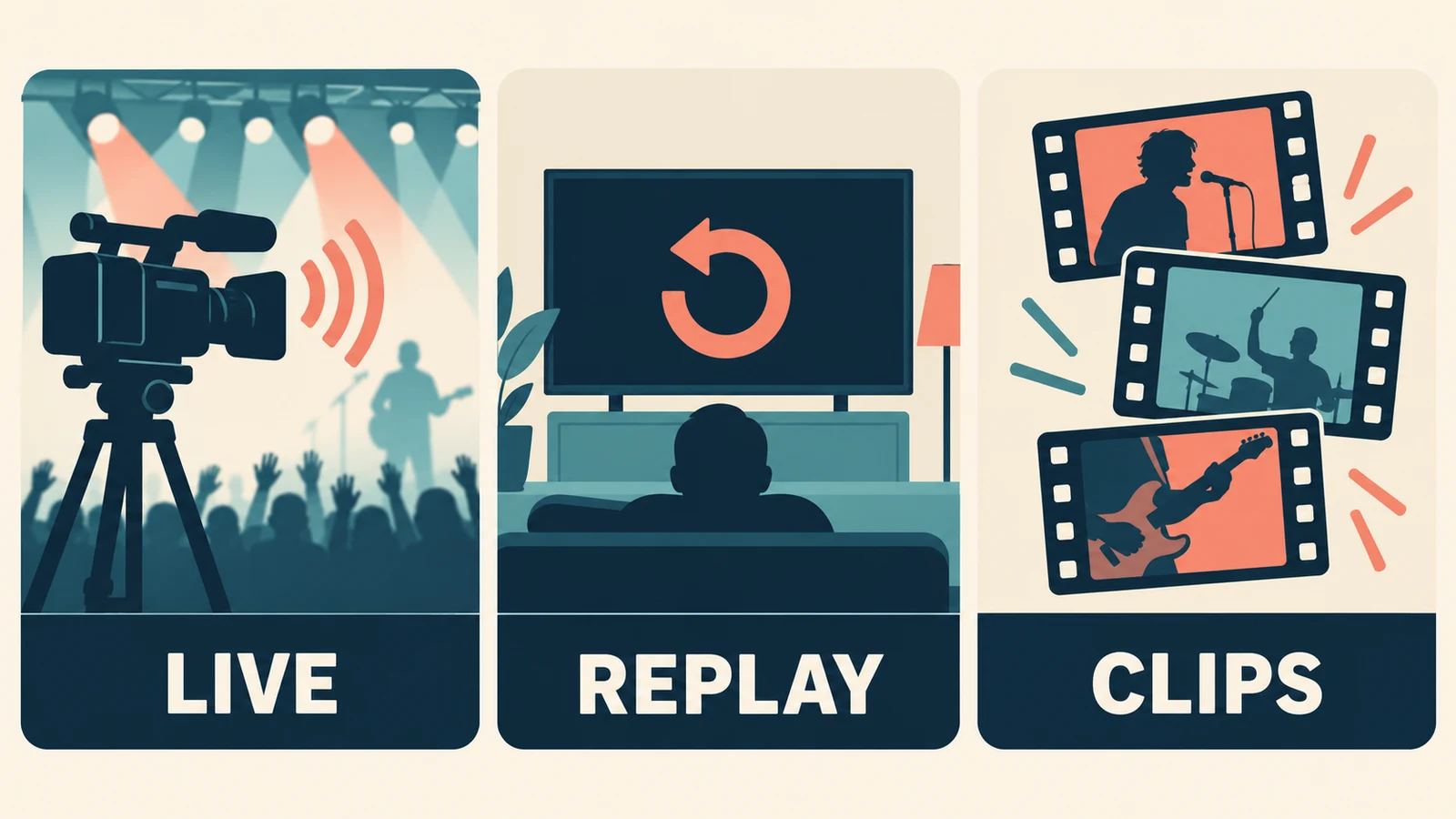
| Use | Question to resolve |
|---|---|
| Live broadcast | Is this track authorized for live use on this platform and channel? |
| Saved replay or VOD | Can the music remain in the recording, and for how long? |
| Highlights and clips | Does permission cover edited excerpts and their destinations? |
| Monetized or sponsored content | Is that specific commercial context included? |
| Multiple channels or platforms | Does the license cover each one you will use? |
Send those details to a provider if its terms are unclear. “Can I use this online?” is too vague to resolve a replay, sponsorship, or cross-platform question.
For example, a creator might stream a workshop, keep a replay, and turn three moments into short promotional videos. The creator should check all three uses before treating the music as approved for the project. This is a hypothetical planning example, not a statement about any particular library's license.
2. Verify the music source and keep the permission record
Start with the exact track and the party providing it. Keep the source link, title, creator, applicable license, and any required attribution together. If permission depends on a subscription or channel registration, record that requirement too.
Twitch's music guidelines explain that purchases and listening subscriptions typically provide personal playback access rather than the right to share the music in a broadcast. Review what the service actually grants; a paid account is not enough information on its own.
Avoid using a playlist title such as “copyright-free” as the evidence. Look for the terms attached to the tracks. If you cannot establish the necessary permission, choose another source before going live.
Our guide to checking a song's copyright and permission trail covers that research step in more detail. For possible sources, the royalty-free music guide explains why individual license conditions still matter.
A useful project folder contains the approved playlist, a dated copy of the relevant terms, any channel-registration confirmation, and the provider's support contact. It should be possible to identify the track playing at a particular moment without reconstructing the whole session from memory.
3. Complete any platform-specific clearance step
A license and a platform's automated recognition system are not the same thing. Resolve any required channel registration or allowlisting before the event rather than assuming that possession of a receipt will prevent an interruption.
YouTube's live-stream copyright guidance says live streams are scanned for third-party content. When you have licensed such content, it advises asking the owner to add your channel to its Content ID allowlist. A licensed stream can still be interrupted if that step has not been completed.
Ask the provider which channel identifier it needs and how you can confirm the setup is active. Do not claim that the absence of a warning in a short test proves all future uses are cleared.
For Twitch, use its current music guidance and the terms of the music service together. Do not transfer a permission from another platform without checking its scope.
4. Keep live audio and replay audio separate in your plan
OBS Studio can send Twitch a different audio mix for the live stream and the VOD. The official OBS Twitch VOD Track Guide explains the setup and shows a default example using track 1 for live audio and track 2 for the replay.
In that example, the music source is excluded from the VOD feed while other audio remains. Check your own selected tracks and Advanced Audio Properties; do not assume every existing profile uses those defaults.
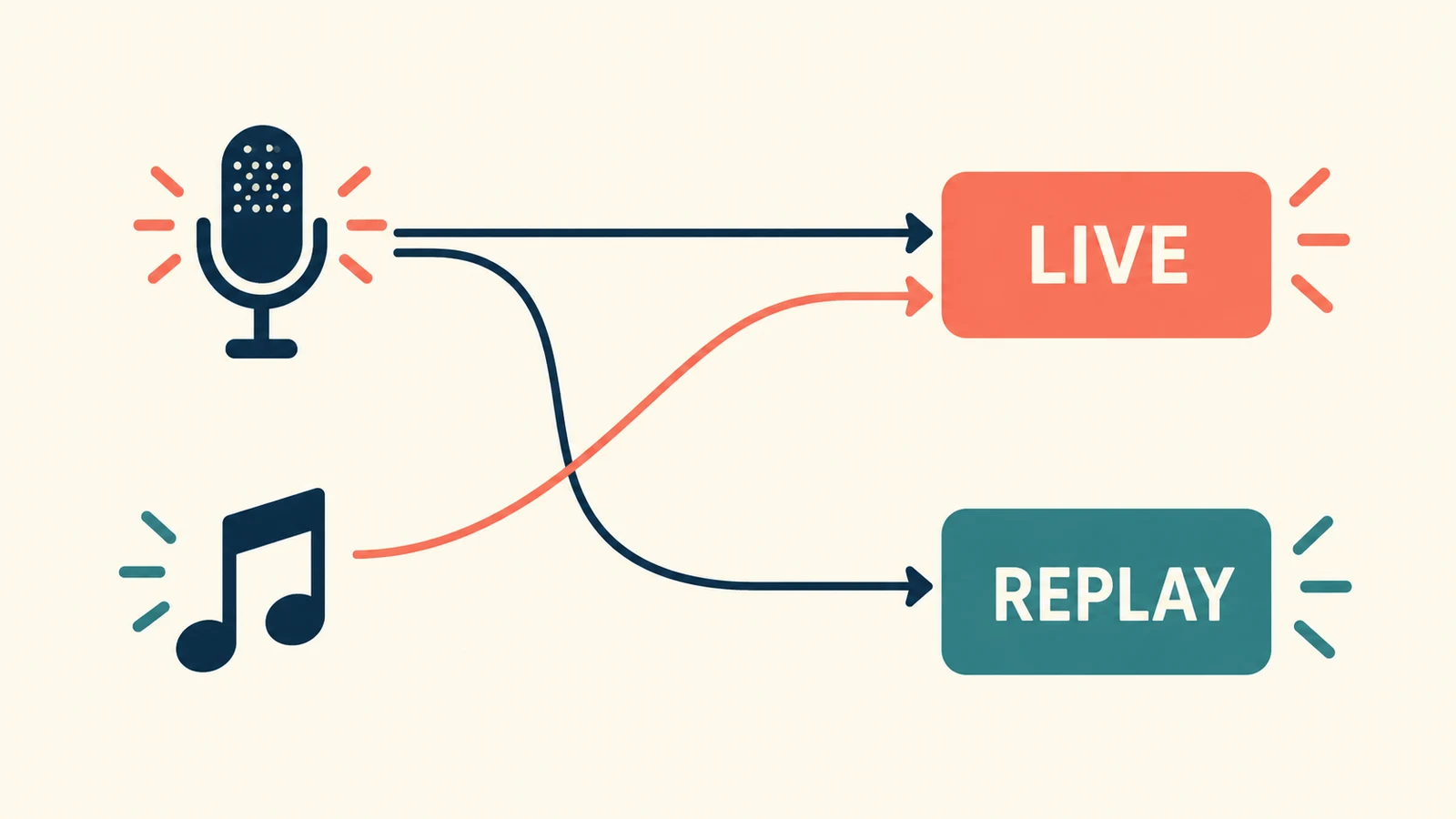
The diagram illustrates routing only. Music sent to the live audience still needs permission for that use. A VOD track is a production feature, not a copyright exemption or a way to make unauthorized broadcasting acceptable.
Test the actual destinations. Hearing your microphone in your headphones does not establish that it is present in both the live mix and replay mix. Equally, hearing music while monitoring does not tell you whether it will be included in a saved recording.
5. Rehearse the complete audio flow
Use an approved track and make a short rehearsal recording with the same scenes and sources you intend to use. Review the result outside the production software so you hear what was actually recorded.
Check these moments:
- Start the music, speak over it, and pause it again.
- Change from the opening scene to the main scene and back.
- Confirm that the microphone remains audible in the intended feeds.
- Confirm that excluded sources stay excluded from the replay mix.
- Listen for doubled audio, abrupt level changes, and a track that restarts unexpectedly.
- Check alerts, browser sources, and other audio that may enter the mix independently.
A clean technical rehearsal verifies routing and listening quality. It does not replace the permission checks above.
Keep a clearly identified mute control available during the live show. If an unexpected track starts, you should be able to stop it promptly without searching through an unfamiliar mixer layout. Prepare an alternative approved cue or a quiet fallback so the show can continue without relying on the disputed audio.
What changes when the music is AI-generated?
Treat AI-generated music as another source whose terms need review. Check the tool, plan, inputs, and intended use before adding the file to the broadcast playlist. Do not label it automatically claim-free just because software generated it.
You can explore instrumental background ideas with AISongsGenerator's music generator. Describe a restrained arrangement that leaves room for speech, then listen through the whole result. Review the applicable download and usage conditions before relying on an export for live, replay, or promotional use.
A practical creative brief might ask for a simple instrumental pulse, sparse melodic movement, and no vocals or dramatic transitions. That describes a desired sound. It does not establish permission, exact duration, or a guarantee that a recognition system will never flag the audio.
If a warning or claim appears
Read the notice and identify the platform, track, timestamp, and type of action. Preserve your license records and contact the provider when it is responsible for clearance. Stop using a track whose status you cannot establish while you investigate.
Do not submit a dispute solely because the playlist said “safe,” or because another streamer used the same song. Follow the platform's process and make only statements you can support. If a legal notice or ownership dispute goes beyond a routine provider correction, obtain advice specific to the situation.
Questions about music on stream
Does removing music from the VOD make the live use permitted?
No. It changes the saved audio, not the permission for the live broadcast. Check both uses independently.
Is a short, quiet excerpt automatically allowed?
Do not plan around a universal seconds-or-volume rule. Establish permission or another valid basis for the specific use rather than assuming a short excerpt is exempt.
Is a successful rehearsal proof that there will be no claim?
No. A rehearsal can confirm your audio setup. It cannot guarantee future platform or rightsholder decisions.
Keep authorization and audio routing in the same checklist
Choose music for live streams by documenting the uses, verifying the track's terms, completing any clearance steps, and rehearsing the actual mixes. A small approved playlist with clear records is easier to manage than an unverified queue you cannot identify once the show is underway.