Build a small idea, then give it a beginning and an ending
To make your first EDM track, choose a specific direction, build a short drum-and-bass pattern, add one recognizable hook, and arrange those parts into contrasting sections. Listen to the whole arrangement before spending hours on individual sounds.
This guide uses a simple house-inspired exercise. It is one way to learn, not a template for every kind of electronic dance music. The goal is a complete draft you can evaluate rather than a loop you keep polishing without finishing.
You can work in a digital audio workstation, often called a DAW, or use generated music to explore ideas. The level of editing control depends on the tools and files you actually have.
Pick a direction you can describe
Write a short brief before choosing sounds. For example:
An instrumental dance track with a steady pulse, warm bass, a bright repeating synth phrase, and a quieter middle section before the main idea returns.
Choose a tempo that lets you hear the relationship between the parts. For this exercise, you could start at 124 BPM and change it if the groove feels wrong. That number is a starting choice, not an EDM requirement.
If you use a reference track, listen for structure and musical roles: when the bass arrives, which sound carries the hook, and what disappears before a transition. Take notes in your own words. You do not need to copy the melody, samples, or arrangement to learn from the decisions.
Make the drums and bass work together
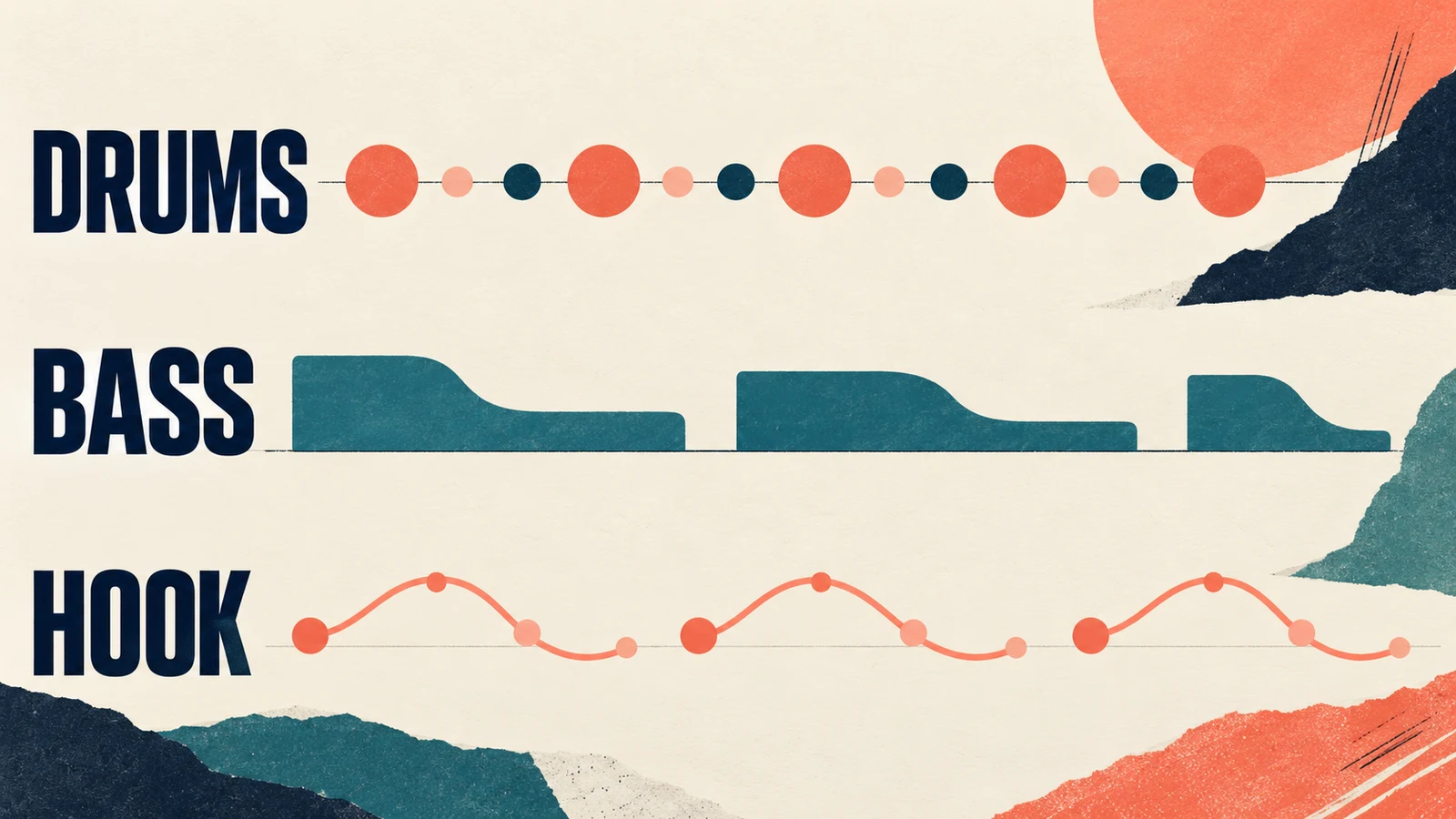
For a basic four-beat practice pattern, put a kick on each beat and a clap on beats two and four. Add a restrained hi-hat pattern, then listen before introducing more percussion. This is a deliberately limited exercise, not a description of every dance genre.
Ableton's Learning Music lesson on bars explains how repeated beats form bars and how bars can form larger song sections. If those terms are unfamiliar, practice counting the pattern before extending it.
Add a short bass phrase. Begin with a few notes and clear gaps rather than a continuous line. Listen to the kick and bass alone: can you hear the pulse and follow the bass shape? If they feel crowded, try a shorter bass note, a different rhythm, or a less dominant sound before adding effects.
When you build the parts yourself, you can change them independently. A generated stereo track does not automatically give you separate drum and bass controls. Check the available exports before planning detailed edits.
Give the listener one idea to recognize
Add a short synth phrase, chord rhythm, or vocal idea that can serve as the hook. For a first instrumental draft, try a small melodic shape and repeat it with a modest change at the end.
The hook does not need to play constantly. Let it appear clearly, then create space around it. If the bass, lead, and percussion all demand attention at the same time, mute one part and listen again.
Keep the sound palette small while writing. Changing the synth preset every few minutes can conceal the more useful question: is the phrase itself worth repeating?
Save a version once the drums, bass, and hook work together. That gives you a stable starting point for arranging, even if you later replace individual sounds.
Use AI for a musical draft, with clear limits
If you want to explore a sound before programming the parts, try this original prompt in AISongsGenerator's music generator, with Instrumental selected for a track without singing:
House-inspired instrumental dance demo. Steady four-beat kick, warm concise bass, crisp restrained percussion, and a bright repeating synth hook. Begin sparsely, introduce the main groove, reduce the arrangement for a quieter passage, then bring the hook back. Avoid vocals and several competing lead melodies.
Listen for the requested roles and contrasts rather than assuming the prompt was followed exactly. A requested tempo, section order, or transition is creative direction; it is not a guarantee of precise control.
Keep the prompt with each candidate and note what works. “The hook is clear, but the break is too busy” gives the next attempt a purpose. Randomly adding more genre words does not explain the change you need.
If the project requires separate parts or exact revisions, review the tradeoffs in our AI music and human composer guide. Choose a workflow that can deliver the files and control your project needs.
Turn the loop into sections early
Once a short idea works, lay out a rough arrangement. In a DAW, place copies of your parts on the timeline, then decide where each part enters or leaves. Ableton's Arrangement View manual describes this kind of linear arrangement of audio and MIDI clips; other workstations use their own controls.
For an original practice sketch, try the following plan:
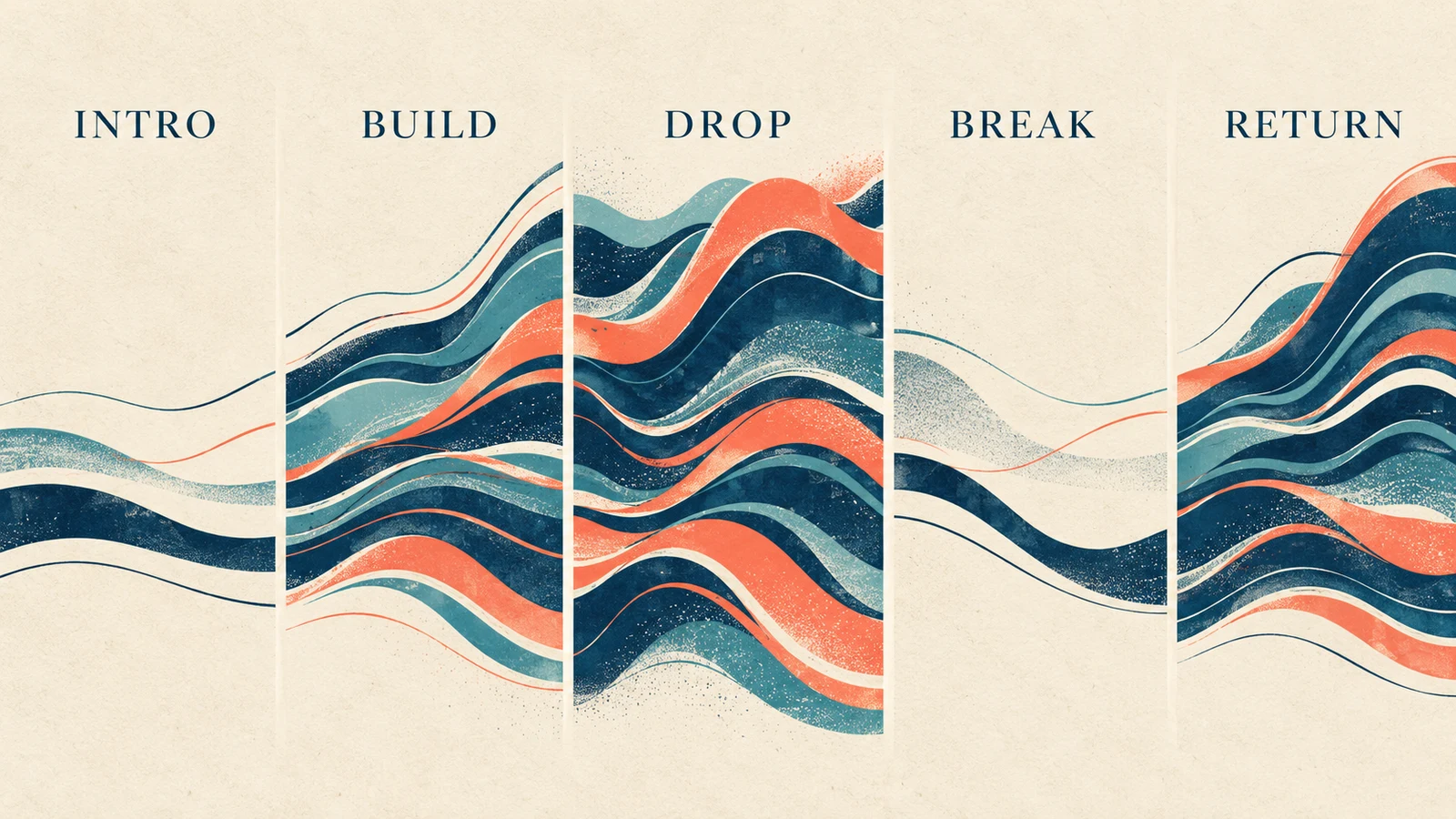
| Section | Starting material | Listening question |
|---|---|---|
| Intro | A reduced drum pattern or texture | Does the opening establish the track without delaying it? |
| Build | Introduce a fragment of the hook and add activity | Is there a reason to expect a change? |
| Drop | Bring in the main drum, bass, and hook combination | Is the arrival clearly different from the build? |
| Break | Remove some rhythmic or low-end weight | Does the quieter passage create useful contrast? |
| Return and ending | Reintroduce the main idea, then simplify toward the finish | Does the track reach a deliberate conclusion? |
You could use eight bars for each section while learning, then shorten or extend sections by listening. Neither the number of bars nor this order is compulsory. Avoid keeping a section merely because a template says it belongs there.
Create contrast before adding more effects
If the drop feels weak, compare it with what comes immediately before it. The build may already contain every important sound. Removing the bass or simplifying the rhythm before the arrival can give the return a clearer role.
Try one transition change at a time: a brief pause, a drum fill, a held note, or a change in texture. Keep the option that helps the phrase connect. More risers and impacts can make an unclear arrangement busier without solving it.
For a generated mixed track, use only edits your file supports. Cutting a section can interrupt a sustained sound or create an awkward musical join. Listen across each edit, and keep an untouched original export.
If you are fitting the result to a video, our music-to-video-length guide covers the timing stage. A track that works on its own may still need a different ending for the picture.
Review the whole draft before chasing loudness
Play the track from beginning to end without stopping to adjust a sound. Write down the moments where attention drops, the hook becomes unclear, or a transition feels abrupt. Fix those structural issues first.
Then make a basic balance pass. Check whether the kick, bass, and lead can each be heard without making every part louder. If you use processing, compare the result at a similar listening level so a volume increase does not make the decision for you.
Listen on the devices you expect people to use. Keep the volume comfortable and notice whether an important part disappears or becomes harsh. This is a practical review, not a substitute for a mastering engineer or a claim of release-ready quality.
Export a file, play that file, and check its beginning and ending. Make sure it contains the intended version, with no accidental silence, missing section, or cut-off tail. Keep the project and source material so later fixes do not require starting over.
Questions about making EDM
Do I need music theory before starting?
You can begin with a small rhythmic exercise and learn the relevant concepts as you use them. Understanding beats, bars, phrase length, and how notes fit together gives you better ways to diagnose a draft. You do not need to learn everything before finishing one sketch.
Can I make EDM entirely with AI?
You can use a music generator to produce a draft, but you still need to select, review, and prepare the result for its intended use. Do not assume that a generated file includes editable stems, exact section control, or every permission your project requires.
Why does my loop sound good but the track feel unfinished?
A loop can establish a groove without creating an overall progression. Try removing and reintroducing parts, giving the hook a clear entrance, and choosing an intentional ending. Evaluate those changes across the full track rather than only inside the repeated section.
Finish one clear version
Keep the first project manageable: a drum pattern, a bass idea, a hook, and an arrangement that makes their entrances matter. Save an exported draft and a short list of specific improvements. That gives your next session a concrete task instead of another round of browsing sounds.