Give each shot a job in the song
A music video shot list turns a visual idea into work you can capture and edit. For each shot, record the song section it supports, the visible action, the framing, and whether it is essential. Add production details only when they help you obtain the shot.
Start with the audio version you intend to use. If the chorus moves after you plan the pictures, your timing notes may no longer describe the edit. Name the audio file clearly and keep it with the shot list.
The example below is an original planning exercise about leaving a familiar place. It is not a production case study or a record of footage we shot.
Separate the concept, storyboard, and shot list
The concept states the idea: a traveler decides to leave, shown through an empty station and a packed bag. A storyboard sketches how important frames might look. The shot list describes what you need to produce those frames and give the editor workable alternatives.
Adobe's guide to making a shot list emphasizes coverage: obtaining the types of shots needed to assemble a coherent story. Use that principle to question the list. If one image is unavailable, do you still have a way to communicate the scene?
A beautiful storyboard frame is not necessarily enough. You may also need a wider view to establish the place, a closer view of the action, and a detail that gives the edit another usable transition.
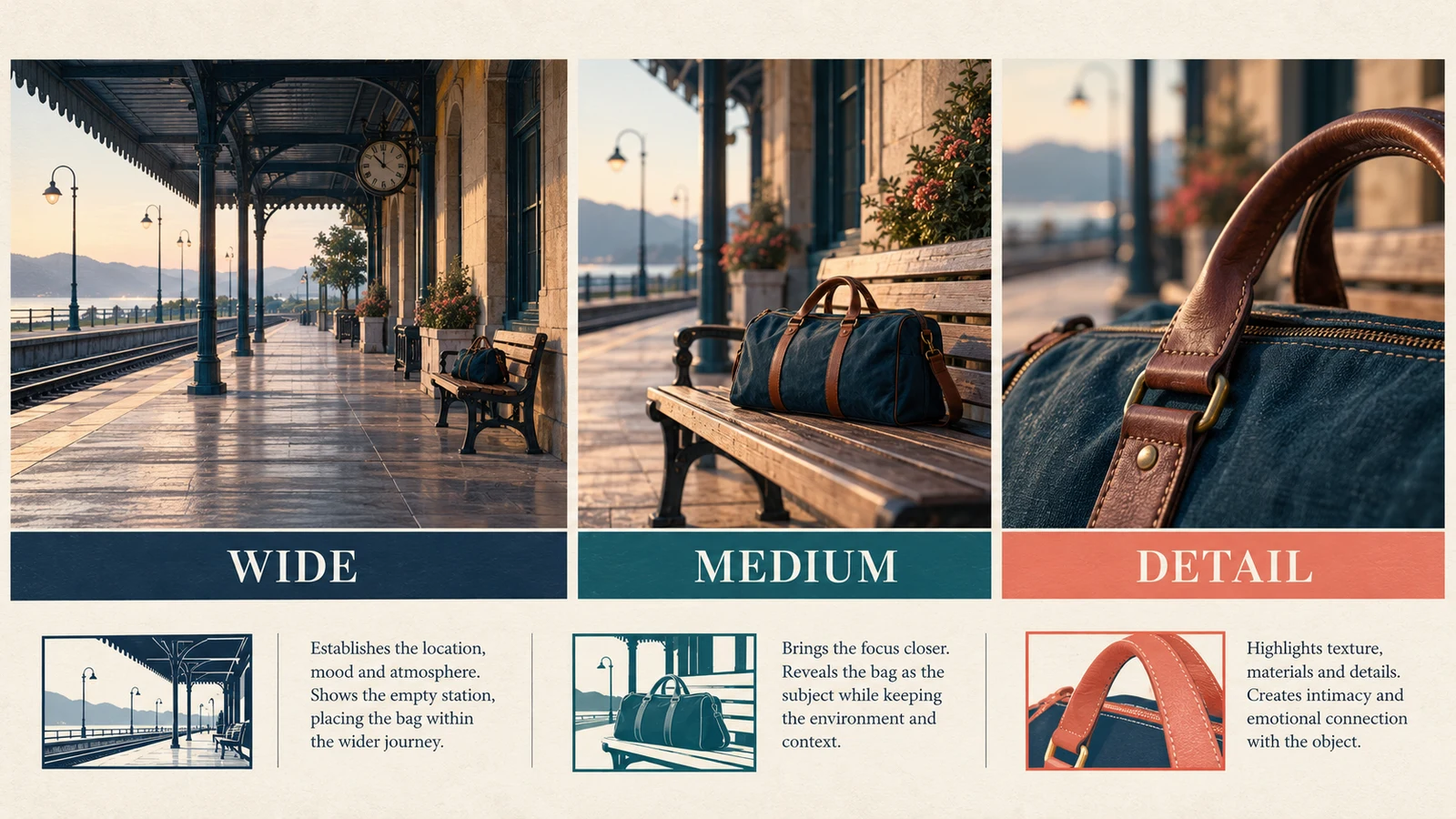
These illustrations are concept references, not photographs from a real shoot.
Mark the song's meaningful changes
Listen through the track and note the entrances, repeated sections, pauses, and ending that matter to your concept. Use timestamps from your actual file. Do not import timing from a different mix or assume every chorus has the same length.
For a first pass, describe the visual purpose of each section:
| Song section | Possible visual purpose |
|---|---|
| Opening | Establish the place and the unresolved decision |
| First verse | Introduce details that make the place personal |
| Chorus | Show the clearest action or visual statement |
| Later verse | Add information rather than repeating the same images |
| Bridge or quieter passage | Change perspective or let a moment breathe |
| Ending | Resolve or deliberately leave open the central idea |
This is a proposed structure, not a requirement for every song. An abstract visualizer, performance video, and narrative film will use different kinds of coverage.
If you are still developing the music, AISongsGenerator's song generator can help explore a song draft. Choose the audio version before final timing work; this article does not assume the generator creates your shot list or captures the footage.
Write actions you can see
“Make the chorus emotional” does not tell anyone what to shoot. “A hand lifts the bag from the bench” does. Describe the visible action first, then add the framing and movement that support it.
Use a compact list like this:
| ID | Section | Action and framing | Priority |
|---|---|---|---|
| S01 | Opening | Wide, still view of the empty platform with the bag visible | Essential |
| S02 | Verse | Close detail of the worn bag handle | Useful alternative |
| S03 | Chorus | Medium view as the traveler picks up the bag | Essential |
| S04 | Bridge | Hold on the now-empty bench | Essential |
| S05 | Ending | Wide view of the traveler leaving the frame | Essential |
Add your actual song time range to each row. Then add the location, performer or object, required setup, and any continuity detail that would otherwise be forgotten. Keep the table readable on the device you will use during production.
The example avoids a complicated story because a small, clear action is easier to plan and review. You can expand it after you know what footage the core sequence needs.
Plan enough coverage to make the cut
For an important action, consider what the editor needs before, during, and after it. A close-up of a bag being lifted may look good, but without context the viewer may not understand where it is going or why it matters.
Capture a stable beginning and ending around the action instead of stopping the moment the movement finishes. The useful amount depends on the scene and edit; there is no universal extra duration to prescribe.
If the video includes performance, plan the passages that must stay synchronized with the song. Use the same approved track for playback and editing. Check the synchronization method with the person handling the edit rather than assuming a visually convincing performance will align automatically.
For a small project, prioritize usable coverage over many elaborate camera moves. An ambitious shot that consumes the available time can leave you without the simple material needed to finish the sequence.
Keep shooting order separate from edit order
The song determines the intended edit, but the production day may be organized by location, light, costume, or equipment setup. Give every shot a stable ID so you can change the capture order without losing its place in the plan.
Group the station-wide shots together if that makes the session easier, while retaining their song-section notes. Track which takes are usable, which need another attempt, and which are still missing.
If you change a prop or position, make a continuity note. The list should help the next shot connect with the previous one, even if they were captured hours apart.
Adapt the list for generated visuals
The same planning fields can help when you generate images or clips. Keep one clear action per request where possible, identify the framing, and maintain a consistent description of the location, subject, and visual style.
Do not assume that separate generations preserve the same bag, clothing, or architecture. Review continuity before accepting the clips as one scene. A striking standalone image may still be unusable beside the other shots.
Mark the source of each asset and keep the original files. Avoid presenting generated concept imagery as evidence of a real performance or location shoot. If a clip must show precise lip-sync or a specific action, test that requirement before building the entire plan around it.
Make a rough sequence before polishing
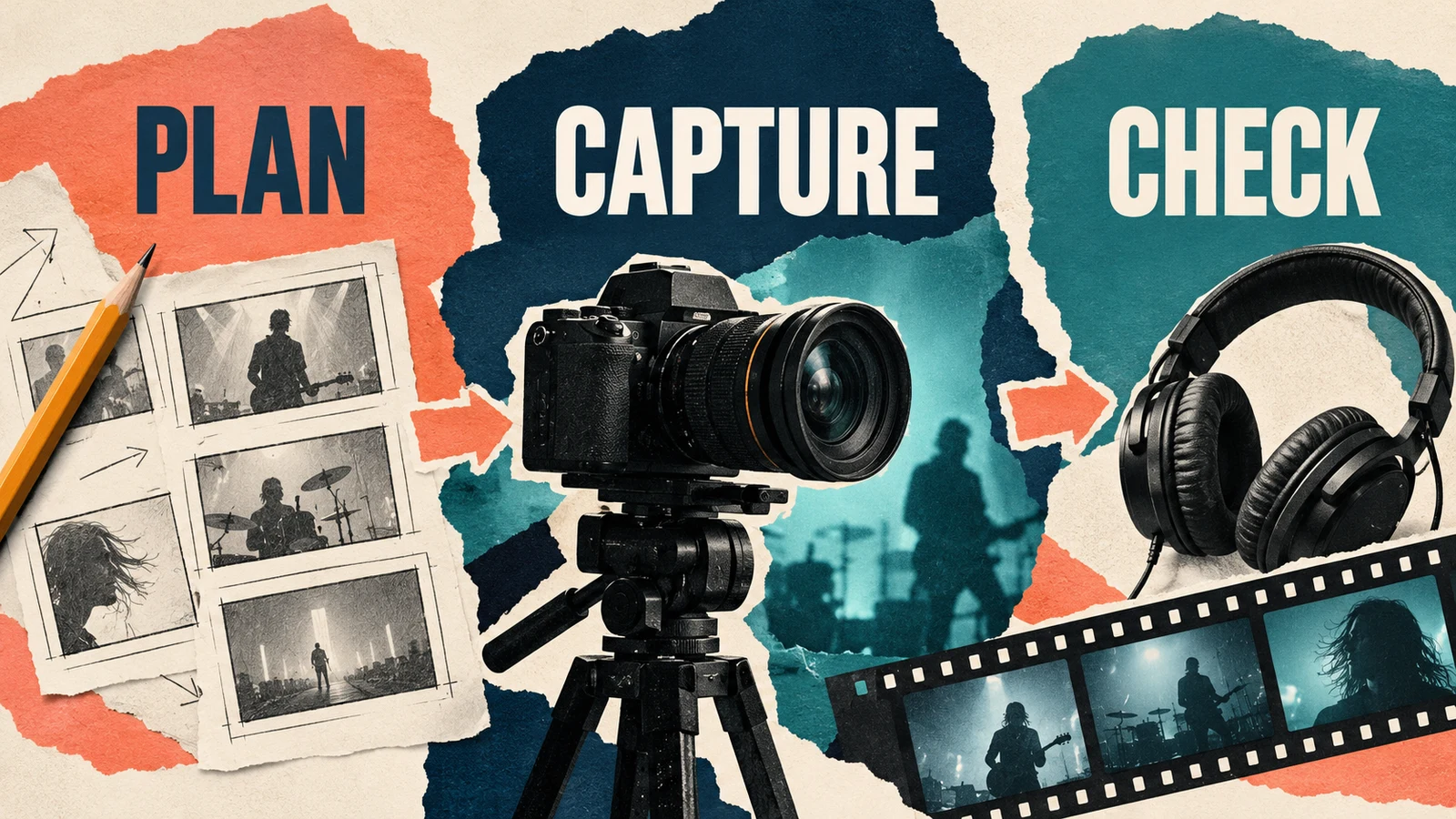
Put the available shots or storyboard frames against the approved track. Watch the whole sequence. Note where the picture introduces new information, repeats itself without purpose, or leaves a gap you cannot bridge.
You do not need a cut on every beat. Try holding a meaningful action across a phrase and compare it with a faster sequence. Let the song and concept guide the decision rather than using rapid cuts to hide missing coverage.
Our guide to fitting music to video length covers timing changes when the project permits them. If the song is already approved, avoid silently shortening it to solve a visual planning problem.
Before final export, check the intended frame shape. A wide composition may need a separate version for a vertical clip; simply cropping can remove the action. Record those alternate deliverables in the list early.
Questions about music video shot lists
How many shots do I need?
Enough to communicate the concept and provide workable coverage. There is no fixed count that makes a video complete. Review a rough sequence and identify missing information instead of aiming for a large number.
Do I need a detailed drawing for every shot?
No. A clear written action and framing note may be enough for a simple shot. Sketch the frames where composition, movement, or continuity is difficult to explain in words.
Can one shot cover an entire section?
Yes, if the action and composition sustain that section. Plan alternatives when a long take is difficult to obtain, and test the choice against the actual song.
Leave production with an editable sequence
Keep the approved audio, shot IDs, usable takes, and missing-shot notes together. The best outcome is a set of images that can tell the intended story in the edit. A short list of essential shots you actually capture is more useful than a detailed plan with its crucial moments missing.